Followers

Wednesday, 30 October 2024

Steplab Intensive

 Steplab Intensive

I had the privilege of attending a Steplab Intensive training day. If anybody is starting their journey as a Steplab Coach, I highly recommend the intensive. It was fast-paced but covered the most important parts of coaching: observations, planning your feedback, and rehearsal. 

The Steplab coaching cycle stretches over 4 - 6 weeks. It flows from observation to feedback and back to observation again. See the diagram below. 


Your starting point is when you connect and clarify what will happen during coaching sessions, and what your. role as a coach is. It's important to build a relationship with your coachee. 

The active mechanism to have successful PD consist of 4 main areas: 

Building knowledge, Motivating staff, developing teaching techniques and embedding practice.

The intensive then takes you through how to gather quality observational notes, gather evidence of goals achieved, plan and praise to prompt coachees into reflection, select the coachee's next step, plan questions on how to agree on the next step, plan how to model it to the teacher (video or yourself) and finally rehearsing it and agreeing to when it can be observed in action. 


After this intensive, I felt more sure of what to do and how to do it. 

For more information on what Steplab is follow this link: 

Wednesday, 3 April 2024

PLD Online (School Leaders – How to implement PLD successfully) Dianne Riggs

Key: 

PLD = Primary Literacy Development

SSP = Supports Sythetic Phonics

PLD targets phonologal and phonemic awareness. As well as alphabetical sound recognition. 

Work with 3 targetted teaching groups. Early intervention is crucial. Teachers can't wait till end of the term or mid year. 

 PLD Tracking Sheet

Completing and tracking students' progress on the tracking sheet is important for the success of the programme. 

RED FLAGS:

* Early Years students, showing no progress, between mid and end-of-term testing. 

* Term 1 data is entered, however after term 1, the process is abandoned. 

* The PLD sheet shows no variation in the test scores. 

* When does the 85% rule apply and what are the exceptions? 

* Test results converted into percentages but no colour filling of cells, (in the year 1 - 6 spreadsheet)

* Results have been entered and colour filling of the cells has occurred, however, the students have not been arranged into 3 targetted groups. 

* Students placed on inappropriate levels/stages rather than targetted groups. 

* Results entered and class arranged into targetted teaching groups, but the highlighting does not reflect clear 'group' teaching targets.

GREEN FLAGS:

* Students are not sorted alphabetically but into 3 ability groupings. 

* Data is entered consistently each term.

* The majority of the students are showing improvement between each cycle of teaching and screening. 


What is the benefits of PLD SSP ?

* International research proves that children that are off to a poor start in Literacy at the start of their schooling, rarely catch up. 

* 3 tiered framework: 

* Synthetic Phonics is the most effective method of literacy instruction, according to international research. 

It's important to report every term on the progress of each class and discuss different situations. 
It is recommended that the tracking sheet is not used in an Excel format but rather an iCloud format. 

Foundation Phase
* The foundation phase is critical for developing good reading and spelling patterns in students. Teaching it well in foundation years will prevent remedial from happening later. 
* Students should obtain an 85% or higher level before moving on to the next level. 
* Even though there is an 85% rule, space is created for teachers to use their discretion in deciding which groups students should be in. 
* Don't only look at one level, look at multi-levels when deciding the groups. 
* Students might obtain 75% in level 1 and 50% in level 3, then rather move a student to level 2 instead of keeping them back in level 1. 

Year 3,4,5,6
* Aim to increase students' ability within 12 months in a 4-term school year. 
* Progress is attainable if attendance is adequate
* If cognition is in the normal range
* If classroom tests have been completed correctly
*And if the teaching process is well designed and delivered


Thursday, 29 February 2024

Explicit Direct Instruction (EDI) Chapter 5

 Is everyone learning? 

How do we know if our students are learning? Often we wait till assessments, which are too far away to correct. 

Ask students about their understanding. Not regurgitation. Ask students to apply their understanding. 

Starting with questions makes the students with experience feel smarter and the students with no experience dumber. rather follow the model of TAPPLE.

T - Teach First before asking te so students are equipped to respond. 

A - Ask a question specific to what you just taught. 

P - Pair-Share with another so students practice their response to the question

P - Pick a Non-Volunteer randomly to verify that everyone is learning. 

L - Listen to student responses so you can make real-time instructional decisions. 

E - Effective Feedback elaborates, exclaims or reteaches based on student responses. 

Teach First:  This is one of the fundamental EDI rules. The purpose of CFU is to verify that students are learning what you are teaching. 

Asking Questions: Ask higher-order questions when CFU (Checking for understanding)

e.g. Which is an example...

Why I s....and example of ...

How did you accomplish this step? 

How did you interpret that answer? 

How did you know what the answer meant?

What is another reason this learning is relevant? 

Which reason is most relevant?

Tips for Pair-Shares: Enforce the use of public voice - as T doesn't get too convolved. Don't let discussions drag on. Students can point to their answers while discussing to get them focussed. Re-teach, and do another pair-share. Pair -Share can be a follow-up. 

Pick non-volunteers: Or pick a random person e.g. names on popsicle sticks, names go back, nobody is finished. Online spinner. Doing this avoids the same students getting called on for the answer. Pick at least two non-volunteers. If two or more students have got it wrong in a row, don't call on more students, reteach. 

Listening carefully to the response and Effective Feedback: Listen carefully to the response/ effective feedback. (This will be covered in a separate session) If students give the correct answers, it indicates that you can move on. 


Thursday, 8 February 2024

PLD

When I started at my new school this year, I was introduced to the PLD Literacy Programme. When I received all the books it was quite overwhelming. I teach kindergarten and pre-primary and I didn't know where to fit everything into my daily routine. Even though it is already week 2, I decided it will be better for me to slow down, and develop a better understanding of what I need to do to use the programme successfully. Especially as there are very clear assessments dates in the middle and end of each term. So where to start?

A snapshot background: 

The programme was developed by Diana Riggs's and provides an Australian, evidence-based approach to Structured Synthetic Phonics (SSP) for primary school educators.

PLD's methodology focussed on 3 key aspects: 

* Literacy

* Oral Language and

* Movement and Motor

International research conducted indicated that the PLD Literacy Programme provides an Australian, evidence-based approach to Structured Synthetic Phonics (SSP) for primary school educators. 

 What does that look like in class?

I watched the Term 1 Foundation Teaching Tips video.  It gives me a clear guideline as to how to implement the flip books during mat time. 

* Flip Book 1 focussing on alphabet knowledge and letter formation. 

* Flip Book 2 focussing on blending 3 phonemes, and lastly, 

* Flip Book 3 focussing on segmentation. 

The books have clear instructions and visuals to support me in what I need to do. 

So my first step in getting better in my teaching of this programme is to use the flip books correctly, share information with my EA's so that they have a good understanding of what to do too. I'm hoping to have this smoothed out by the end of week 3. 

There are still lots to learn, and I have requested training, but time cannot be wasted. Luckily we have already started with the cutting skills and pre handwriting skills. I am sure by the end of the year it will all have come together. 

Here is a link to the PLD website if anybody was interested in learning a bit more about the programme.


Wednesday, 15 March 2023

Teaching Sprints - Increasing my understanding

I had the privilege of meeting with Louise who is busy with her Masters in teaching sprints. They have trialled teaching sprints since last year and worked through some trials and errors.  

She has given me some guidance on how we can implement it in our school.

Here are a few things I added to my kete of understanding: 

At the initial meeting, we walk away with a plan on how to teach whatever our goal is. 

WSL/Leaders have a planning meeting prior to starting the sprints. Look at data, decide on what we want to focus on, do the research, and send a reading or 2 to teachers beforehand to read. 

Groups can be varied in how they are created. 8 max in a group, but 4 is better. 

Start 1st session with Simon Sinek's why circles. 

Added into the sprints cycle is an observation. 

During the sprint, there are no PLD or Staff meetings. (4weeks) Only quick team meetings once a week. Or short 20-30min staff meetings only. This gives teachers time to make resources and plan for implementing new learning. 


Sunday, 12 March 2023

Understanding Traumatised Children's Behaviour by Donne Berry - Interplay

 5 hours well worth spending to understand traumatised children

What stood out: 

It's vital not to force traumatised children to do anything, as they will do it if they feel safe. 

Often we recreate the past experience without realising it. Nobody knows more than the person going through the experience.

Behaviour is a means of communication for unmet needs.

The 1st 3 years of our lives shape and form who we become. We remember everything that happens to us even before birth, as babies and mum are interconnected. We often say e.g. he is too little to remember - that's a lie.

Due to stress (e.g. fear for safety in a violent relationship) during the brainstem and nervous system development, neurological issues develop due to not feeling safe.

The brain wires according to the environment. If a mum was constantly scared and feels like she needs to protect her baby, it will influence the brain development of the baby. 

If mum experiences a state of emergency and catastrophe, where death is a real possibility, it creates fear in the baby of it's going to die. 

This is where Intergenerational Trauma stems from. Anything that happened to mum or dad in the 1st 3 years of their lives is passed on to their children on the cell level. 

If the mum ( the only caring person) was not available after birth, children will show adapted defences such as loud crying, or other behavioural issues to show he/she don't trust. 

Since this baby's brain is neurologically differently structured than "normal" babies, the behaviour will escalate e.g. they might not be a good feeder, throw tantrums, be not very loveable, or have adaptive defences to survive his/her world e.g. biting. Therefore this child will not be ready for school at 5, he/she needs safety, not learning. 

Kids don't talk about the 1st 3years of their lives. WHAT THEY CAN'T TELL YOU, THEY MAKE YOU FEEL.

Don't ask, "Tell me how you feel".  Mirror Neuron System comes into play. We could say: "You don't have to hurt me to show me how you feel, I'm here for you." Or, "It feels awful to go through what you are going through - it must be scary." 

For someone to feel safe, they need full acceptance. Even the worst behaviour. He/she needs to stay connected. 

To regulate chaos, feel the feeling he/she created, match the intensity, and co-regulate him/her back down. 

Time-out is actually abusive. Children need us to help regulate them. 

The worst thing could be when you are scared, is to have somebody that is not authentic.  It will make him/her feel they are not accepted. 

We have 2 needs when we are born. 1. Attachment that is vital 2. Authenticity

So many relationships are covered by conditions. Unconditional love is rare. Sometimes children feel safe in their attachment if they are a "good" child because other relationships in the household are already hard. 

Symptoms of trauma to the brainstem:

Hyperactivity

Periods of dysregulated (hyper/hypo) arousal

Sensory processing problems

Impaired sleep

Impulsive

Anxiety

Clumsiness

Specific taste (Food fussiness)

Abnormal breathing and elevated heart rate

Fear and panic attacks

Unexplained medical systems

Lack of eye contact

IF SOMEBODY TURNS UP AND SHOWS YOU HOW THEY FEEL IT IS BECAUSE THEY KNOW YOU HAVE THE CAPACITY TO HELP THEM. 

ADDICTION stems from attachment pain. Due to unhealthy/lack of a secure relationship vital hormones lack in the brain and are looked for in other ways. Then they need more of the addiction to create satisfaction. When tackling addiction, addiction increases. Instead of tackling addiction, create a secure relationship. 

Children need to hear: "I see you, I hear you, I understand you". Crucial is: total acceptance, being present, not telling them what to do, and actually turning up & feeling what they feel. 

PS: If you don't accept them wholeheartedly, they won't heal. ACCEPT THE NEED BEHIND THE BEHAVIOUR.


Tuesday, 7 March 2023

Big Book update

Term 2: 

It is now nearly the end of term 2, and I am very happy with the progress the students are making in their writing. They are now able to write a recount of the big books independently (at least most students). 

What I am excited about is the language structures that is coming through. See the examples below. Please note, my focus at this stage is not on spelling or punctuation. It is just to develop their confidence in writing, creating a space where they can share their ideas without judgement. 

I have also noticed how their fluency in reading as improved. Students are now recognising bold print, speech marks, exclamation marks and ellipses. They change their voice tone and volume to suit the text. 

I have also noticed that some students prefer to read the big book when sharing reading on Seesaw, instead of a colour wheel book. My hunch is that it is because the students feel super successful when they are able to read it so beautifully. I will continue with the big books till the end of the year, just building on it. My students are currently learning how to sound words out and underline it, then afterwards searching up the correct spelling using their chromebooks. 

Seesaw example


Term 1:

I completed my first week of using a Big Book during writing time - even though my colleague is not here to reflect on it with me, I thought I'd share my observations this week. 

We read the book every day, each day focussing on one aspect.

Day on1 Comprehension

Day 2 Vocab

Day 3 Flow/Phrasing/Fluency

Day 4 Phonic Knowledge, Phonemic awareness and word study

Day 5 Respond to text

We built a word wall that we are referring to and brainstormed before writing. Students planned through drawing and then wrote independently. What was really interesting is that each story was so different. What stood out for me though is the jump in the vocabulary used. I even had compound and complex sentences. So proud of these students. This is obviously only the start of their journey, but I'm looking forward to seeing how they grow. 


So using the Big Book will stay in my writing sessions. 


Sunday, 19 February 2023

Big Books Learning Circle

 This year I have the privilege of teaching a Year 4/5 class of 49 students in a collaborative space. We soon realised that the low academic performance that we are seeing is a direct result of COVID. Students missed out on the very important foundation part of their education. My colleague and I sat down and brainstormed how we can support our students the best way we can to try and get them up to standard, especially around independent activities. We then started talking about the value of the Big Book. Not reading to...but genuinely using the Big Book for what it is meant to be and decided that our students need this kind of focussed teaching. 

We just wrote everything down that we could think of that we can use as independent activities.

As my colleague never taught junior students, we decided that we will investigate the value of the Big Book by using it in Term 1. Our main focus is to use it to build up students' vocabulary, use of punctuation, sentence structure and language structure. This will also enable us to support students in understanding the connection between reading and writing. And finally, it will support our ELL students to gain confidence in attending to the text, illustrations, diagrams, and photographs while hearing the language used in an authentic context (TKI). 

So, we created a learning circle that will
read up on ways to use the Big Book, plan for it during our daily writing time and set out independent follow-up activities for each day. 

This is what we learned so far just by looking at some of the lesson plans in front of some BIg Books. 

Day 1 - Read with expression
Day 2 - Read again - pay attention to vocab - decoding
Day 3 - Read again - Pay attention to vocab and its meaning (build up word wall)
Day 4 - Read again - Pay attention to punctuation
Day 5 - Students read - Teachers stand back - students do a recount of the story

This is what TKI say on Shared reading: 

Shared reading is an essential component of the literacy programme in years 5 to 8. It allows for a high degree of interaction and is a great way for teachers to help students extend their understanding of themselves as effective text users. During shared reading, teachers and students can participate in collaborative reasoning to solve literacy-related problems.

Through this approach, teachers can deliberately extend their students’:

  • understanding of themes and ideas;
  • use of reading strategies;
  • appreciation of literary devices, such as imagery;
  • vocabulary;
  • knowledge of the purposes and characteristic features of different text forms.

For more information on Shared Reading (TKI) follow this link. https://literacyonline.tki.org.nz/Literacy-Online/Planning-for-my-students-needs/Effective-Literacy-Practice-Years-5-8/Approaches-to-teaching-reading

If you have experience in using the Big Book in your literacy programme, please feel free to share your thoughts on its value. 

Friday, 3 February 2023

Learn with the Expert: When We Partner, Everyone Wins: Family Engagement in Education with Dr. Karen Mapp (Seesaw)

 Evidence proves that partnerships between home and school benefit families, students, teachers, districts and communities.

Interesting: Even the look of your class can show whether your school is a student or adult-centred school. e.g. what is on the walls (Students work or teachers posters), is the teachers desk the centre attraction in the class, or activties where students are engaged, the way teachers approach visistors etc. 

Good partnerships reduce high-risk behaviour, increased family involvement, and high-level participation in after-school activities, and increased high school graduation. 

Parents know more, understand more and do more than educators give them credit for.

Strong partnerships between schools and families make us more resilient against global crises such as Covid. Due to Covid, people are more ready to engage in these strong relationships. 

People feel respected if they felt listened to. 
Families want to know: what is our goal, and where we want our children to be at the end of the year. 

Conclusion: A very insightful webinar. Something I want to improve on this year as it links in strongly with our vision for Mangapikopiko.


Sunday, 22 January 2023

Teaching Sprints - How overloaded Educators can keep getting better by Simon Breakspear and Bronwyn Ryrie Jones

Takeaway points: 

Starting prompt: What is something you do in class in the classroom now more effectively than you did six months ago? 

Sprint = short, sharp bursts of practice improvement work (truly manageable shifts - evidence-informed)

Collaborative process

Process: 

1. Prepare Phase (1 or 2 meetings) 60 - 90 minutes each

- Engage in new learning, informed by research evidence

- Draw out connections and challenges to practice (Boulder, Pebble, Sand protocol)

2. Sprint Phase (2 - 4 weeks)

- Intentionally practice the chosen strategy/technique in classrooms

- Make adjustments, in light of what's happening

- Check-in with colleagues to sustain momentum. (15min stand up meeting)

3, Review Phase  60 minutes

Reflect on: What was our experience of the Sprint? What can we reasonably conclude from the impact evidence we have? What are the implications for practice? What are the next steps for our professional learning?

WHAT TO REMEMBER:

1. Teaching Sprints is a flexible process for teacher learning and continues practice improvement

2. Each individual Teaching Sprint consists of three phases: Prepare, Sprint, Review

3. In most settings, teachers can comfortably complete one productive Teaching Sprint every term of school. 

4. Each phase of a Teaching Sprint involves a different mode of learning

5. The Prepare Phase enables teams to engage with research evidence, make connections to practice, and define a specific strategy/technique that they would like to trial

6.  The Sprint Phase supports teachers in bridging theory and practice; they intentionally practise a selected strategy/technique in classrooms

7. The Review Phase provides the opportunity to reflect on experiences, review impact evidence and determine implications for future practice

8. All phases are supported by simple protocols that teams can use to drive collective thinking and action. 

9. Teaching Sprints is designed to make improvement work habitual in your school.

10. The composition of teams in Teaching Sprints is flexible but the recommendation is 3 - 8 people. 

11. There are only 2 roles - Sprint Leader and Team Member

12. A review of our current meeting schedule can be used to identify potential blocks of time that can be reallocated for Teaching Sprints.

13. For each Teaching Sprint, teams need the time for a Prepare meeting, a Check-in, and a Review meeting.

14. Setting a schoolwide focus for Teaching Sprints can promote the efficient sharing of evidence and resources. 

15. What's most important is that Teaching Sprints works for you in your context - adapt it flexibly and thoughtfully for your team and school. 

So what's next?

1. Check with senior management if we are starting term 1 or 2

2. Check schedules and add them to the calendar

3. Plan for meetings

4. Decide with Snr Management if we will present the area that we want to make shifts in e.g. HITS, or whether we will open it for teams to decide where they want to improve. 

5. Contact Louise from Papakura Central, and ask if I can observe a Sprints meeting. Get the background of how they approached it. 


Monday, 21 November 2022

MIT 2022 Project Summary

As I reflect on my participation in the Manaiakalani Innovative Teachers project (MIT) project throughout the year, I realize the growth I went through.  Through the design thinking process, I developed a formalized question about the problem I experienced and grew brave enough to put my project out there in the wider community to receive feedback in order to make it better. Here is a summary of what the process looked like. 

When our leadership team looked at our data we realized that the data was particularly low in classes where Beginner Teachers and Overseas Trained Teachers taught. I came up with the question, what could I do to help these teachers, so that they don't waste time trying to figure out what to do, as in the time wasted, our students are either taught at the wrong level or taught the wrong topic, or not taught at all, which puts them at a disadvantage. Through the design thinking process and the help of my MIT colleagues, we refined the question to this: How might we support teachers starting at a new school where there is a complex array of new learning needed to be effective in the classroom. Then the question arose, what tool could I create that will actually be of use to these teachers.

I came up with the idea of a site where new teachers could find the most important information in order to speed up their adjustment to school life. After receiving feedback on my survey that I shared on the Teacher's FB page, I determined that the 3 most important areas of concern are assessments, planning, and resources.


My prototype was very boring, had no images, had too many contrasting coloured bars, and had some very old youtube videos. In order to make my site better, I shared it with as many people as possible and took on the feedback and advice. I tried to bring in an element of fun by changing the name to Survival Kete for New Teachers, With the change of name, I could bring in some elements of a kete, therefore the drop-down menu on the images of the kete's.

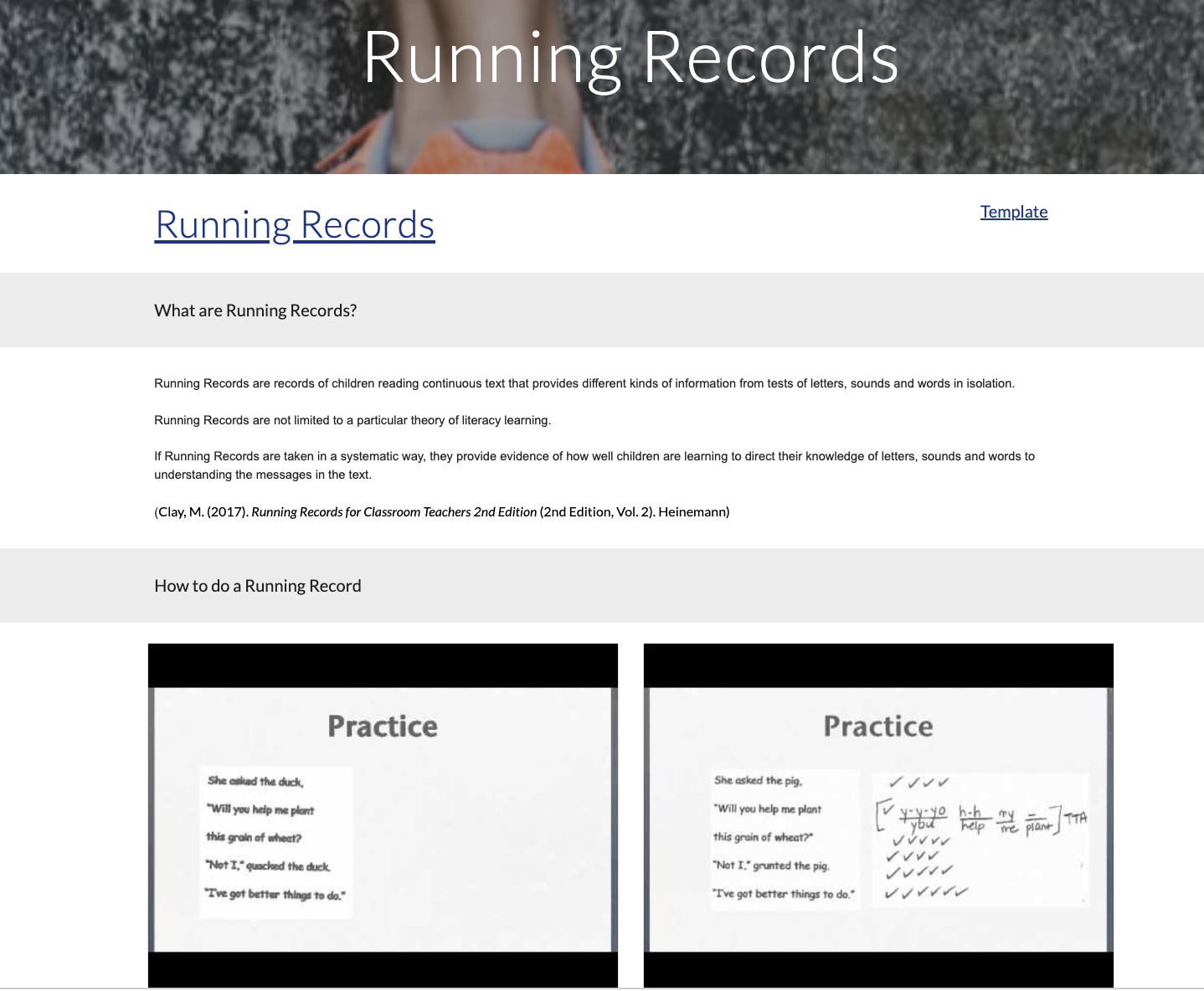
I even asked for feedback from a Reading Recovery Facilitator. She reviewed my Youtube demo videos on Running Records and gave me feedback on how I could do that better. All in all, I was able to refine my prototype to what it is now, due to lots and lots of feedback from people. I had to be brave to take the feedback on board, and willing to rethink and refine my project. So how can new teachers use my site? 

When teachers open the site, they can make a copy of the tracking sheet to keep track of the new learning they have completed. 


They can then choose from either the kete drop-down menu or click on the images to take them where they want to be, either assessments, planning, or resources. 
Then it's pretty straightforward, they choose what they want to learn about. And read up, or watch videos. 


The site contains the following information: Information on Running Records, PAT Maths, PAT Reading, Writing Vocab, Jam, Gloss, Online assessment and data, the process of planning, online resources, and abbreviations and acronyms.

The final stage of the program was to present our projects at the Principal Wananage. Luckily we had a practice run a few weeks before in Rarotonga at the Teachers Summit. The feedback was phenomenal. One team leader came to me and said she immediately shared my site with her Beginner Teachers. I had a principal book me for PD at her school to share my tool with her Beginner Teachers. I wish I had known about the Google Analytics tool so that I could see how many people did look at my site. 
I am looking forward to sharing it with new teachers in our school, and to getting feedback from them.

Here is my presentation. 


                                                                       Me in action.
Was it worth being part of the MIT program? Yes, 100%. I learned so much about myself and my thinking processes. I made new connections and experienced being part of something bigger than school. And best of all, I created something that can be useful to somebody and hopefully ease the feeling of being overwhelmed at the start of their teaching career. 

A massive thank you to Dorothy Burt and Matt Goodwin, for taking us through the process step by step. And thank you to KMPG for supporting us throughout the year.  
As well as my senior leadership team, colleagues, friends, and family. Thanks to your support, my project got refined into what it is now. 

If you are considering if you should apply for MIT, my advice would be to have an authentic problem, that you genuinely want to have a solution to, and not to try and come up with a solution before you designed your HMW question, and then...enjoy the journey. 

Monday, 7 November 2022

Information Literacy and Digital Citizenship with Littles (Seesaw)

 What is digital citizenship? It is a way of being, thinking, and acting on digital devices. 

NOTE: On digital devices - not just online activity. Digital Citizenship includes roles and responsibilities that need to be enforced.

Zone of proximal development - figuring out the gaps. What are the most annoying behaviours you face when trying to use digital devices with your young students?

A few that I can think of: What do I do next? How do I do this or that? Not knowing how to log in or out? Or how to use the applications. Not caring for the devices (carrying, storing, or charging). Rushing through work not knowing how to share it at a high standard, or saving it in edit mode to work on later. Inappropriate photos (silly photos, not asking). Not getting off devices when asked to. Going on the internet when not supposed to, 


How to teach: 

Device Handling 

Students are new, and they need very explicit teaching on how to handle the devices. Not just at the start of the year, but throughout the year. 

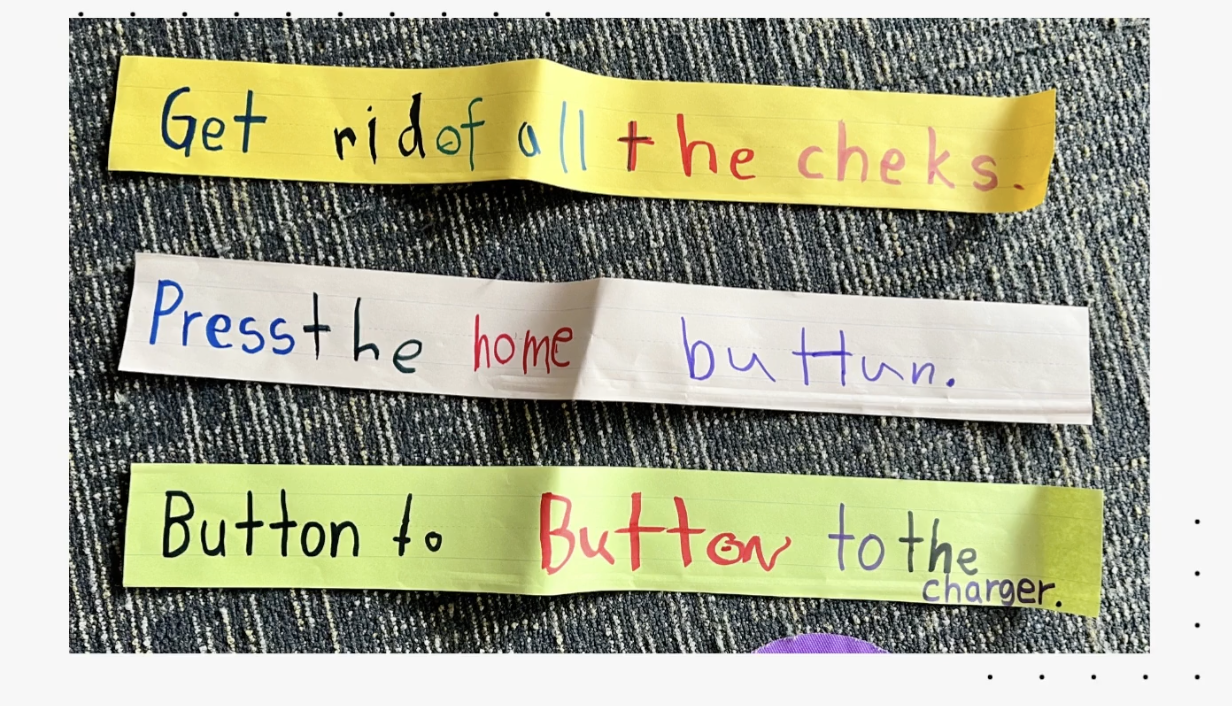
Button to Button: How to hug and hold your device. The home button on your belly button. 

Face planting: when at the table or on the carpet, put the device gently face down on the floor to wait for instructions. 

ONLY hands: no other body parts

Only YOUR device:  You can only touch your own device. Help your friends verbally. 

Only with permission from an adult:  Only go on an app with adults' permission, at home, and at school. 

Pop Ups: Here is the link to the poster template on Canva.

When you see a pop-up, STOP, and show a teacher. (New Entries and Year 1's)

Older students: Teach Common pop-ups that students can act on by themselves. 

Photography: 

Students need to learn which photos are appropriate. The first thing they learn before even taking a photo, is: "Can I take your photo?" Students practice asking each other, then take a photo, after taking the photo ask if they like this picture or should you take another one. Equip students with words. Teach students to make sure photos are clear and not blurry. Remember anyone can see the photo and it should be representing your best self. Are you willing for everybody to see it? Students then practice taking selfies. Collect ideas of what is acceptable or not acceptable photos. Students video themselves explaining what is appropriate photos. From year 2 onwards learn about which images I can use from the Internet. 

What's done is done:

Think of visual cues to know what "Done" looks like. Create a routine or checklist to help the students. Visual cues of the green tickbox as little ones forget to use it. 

Steps to be truly done. 
INFORMATION LITERACY
information literacy includes the ability to identify, find evaluate, and use information effectively. 
Teach students if images are real or fake? Students learn to think about what they see. 
Example: Looking at this image. Would it be safe for the girl to sit next to the lion like that? Do you think she is really there reading with the lion? Or do you think somebody put two pictures together to create this image? 
Here is another little activity students can do to show their understanding of what real of fake images are. Students circle the image they think is definitely not a real image, then show the one that might be real, and then find the one that is definitely a real dog image.
Then you could show students how easy it is to change images, using Canva, and change one of the body parts. 

Here is a link to safe photo options: https://www.photosforclass.com/ This site automatically adds attribution to images used. Students then learn about which images are okay to use. 


What a great workshop with lots of practical ideas. Great ideas on how to introduce digital usage to our youngest students. This will help us when we start thinking about what digital expectations students in each phase should accomplish before they move on to the next year's group. 


Thursday, 20 October 2022

Working with Tamariki with ADHD: Module 1

 I had the priviledge of attending an online workshop with Tracey Rountree, an ADHD expert. It was a very informative session. I will share the main points that stood out for me. If you have ADHD students in your class, read this...

ADHD can be broken into 3 predominant types: 

1. Primarily Inattentive - hard to tune out distraction, task jumping, not finishing work, appear bored easily, seems like not listening, very interest driven. More visible in girls. 

2. Primarily Hyperactive/Impulsive - Parts of them always moving, chatterboxes, energetic, fidgets, ants in their pants, hard to stop. More visible in boys. 

3. Combined type - inconsistent and often labelled as naughty. 

ADHD students tend to be on the higher end of IQ. Can be quite creative and could include Dyslexia, Dyscalculia etc.

Characteristics of ADHD children: 

Inattentive or hyperactive

Impulsive - not thinking of consequences, does not think of others, unablel to control themselves, mood swings, low frustration tolerance.

Inflexible - very black and white, don't understand tease of sarcasm, very aware of what is fair and just, sees things from their point of view and assumes everyone thinks like them. 

Hyper focus - has very strong interests in certain things, able to focus on special interest

Poor social skills-not able to read subtle social cues or recognise that their behaviour or actions can effect others. Not able to read facial expressions. Lack of boundaries, personal space and voice (noise) control.

Poor working memory-great long term memory, however, unable to hold information in mind to guide actions now or later. Hard to follow instructions or cope with multiple tasks. Slow response to direction (needs more time to process requests and reminders).

Disorganised - trouble sequencing what comes next or where to start. Often looses things to complete task. Issues with motivation - unable to stay on task. Loose track of time. 

Emotions -quick to get frustrated by minor annoyances. Worry too much or too long about small things. Have trouble calming down. Overly sensitive to critique. Feel excessive urgency to get/do something. 

ADHD RARELY APPEARS ON IT'S OWN: Often OCD, ODD, Sensory Processing Disorder, Tics (vocal or motor), depression, anxiety, language and learning disabilities. 

Solutions: Medication, diet, excersise. 

How will this affect me in the classroom? 

Have realistic expectations, recognise strengths. 

Priority - work on 1 or 2 issues at a time. 

Prepare - plan ahead - set procedures in place for dealing with a situation. 

Relate

Positvity

Put accomodations in place eg. allow for movement.

Training -give alternative words or actions.

Discipline - least effective - if necessary - use immediately for impact. 

Reinforce positive behaviour. 

Everyday strategies:

Build a relationship with them.

Gather info

Look for triggers

Define the expected behaviour do not assume they know. 

Post session or class rules - discuss clearly as well as consequences. 

Be prepared - plan basic activties and consequences as well as a plan B/C/D.

Redirect their attention rather than reprimand. 

Frequent positive feedback

Immediate reward and consequences

Use simple lang

verbal reminders

allow for extra movements

give appropriate supervision

give them more responsibility

ignore minor behaviours

don't back them into a corner

don't judge or get emotiona; - stay calm and stick to the facts

get them  to think about the effect of their behaviour

give them acceptable responses to use next time

don't take things personally

Make sure all of the team is on the same page - consistent language and consequences.


Monday, 17 October 2022

Digital Learning Circle

 Last term, I initiated a learning circle for improving our use of Seesaw. We are at the moment 4 teachers taking part in this. We get together for 30min every 3 weeks and set ourselves a tiny achievable goal in order to improve how we use Seesaw. We look at each other's Class Journals and highlight the posts that represent good quality posts, as well as share some ideas on how to achieve our goals. It has been really great to have this opportunity to discuss Seesaw with these ladies. 

Minutes

My goal this cycle is: By 3 Nov have pictures up of how to store devices. And teach students how to respond to our comments. 

I need to check that Totara students know how to read their message notifications and act on them.  I will share this with Sam and create space in our timetable to teach this to the students. 

Another thing I would like to do this term is to sit with Erin and create a plan of how to transition the current year 3's onto Chromebooks. My thinking is that we provide some loan chromes to their class and that they get the opportunity to log in to the device using their email address (I will ask Gretchen if it will be possible to have their emails generated earlier). In order for them to familiarise themselves with the keyboard, they can practice Typing Club and how to log into Seesaw. It will then be great if Erin (karaka) can then create a space in their timetable to talk about some aspects of the Kawa of Care, e.g. how to carry a Chromebook, how to pack it away and put it on charge, how to log out before packing it away etc. 


My next steps: 

Take some photos of the device cabinet in Totara to show how we store our devices. 

Create space on our timetable to teach how to respond to comments. 

Book a time in with Gretchen and Erin to discuss transitioning year 3's onto Chromebooks. 


Friday, 16 September 2022

Mini Meet Kuia Ako Term 3 2022

I had the opportunity to facilitate a mini meet at our school. I shared some practical ideas on writing rapid routines. 

I had 15 teachers across the Kaui Ako cluster that joined me. Padlet 

The rapid routines that I shared and modelled were: 

Adopt a word, Give me 10, Vocab jumble, Label it! Running Dictation, Pass it on, Onomatopoeia alphabet and Simile and Metaphor drawing activity.

Initially, when I asked the teachers to get ready for the running dictation, there were some hesitation and lots of frowns, but once we started everybody participated really well.

Having the hands-on workshop seemed to resonate well with everybody. They were all engaged, and there were lots of laughter.

I didn't over-plan too much, there were only 2 activities that I did not get to do.

What would I do differently next time:

Most probably start with the Running Dictation straight away to break the ice.

Have my scrap paper ready before the time, as well as setting everything up for the running dictation before the time.

Next step:

I'm wondering if a Rapid Routine part 2 should not be an option, then we can look at even more options for Rapid Routines, the ones that need a little more preparation.

Feedback from one teacher when I asked if the workshop was okay, said she can use all of it as she is only a 3rd year teacher. So... mission accomplished.

Thursday, 1 September 2022

MIT 2022 Project Survival Kete Tracking

On my site for new teachers, I have a tracking system, where teachers have the option to keep track of their learning. The initial idea was to have it light and add a bit of light humour while teachers earn items for their survival kits. 

This was my initial tracking sheet that was drafted: Survival Kit for New Teachers 

Some suggestions from my principal led to this: Survival Kete for New teachers 

Some more suggestions from my principal led to this: Survival Kete for New teachers Slide (Option 1)

After feedback from an MIT Colleague: Survival Kete for New teachers

And then the final product: Survival Kit For New Teachers Tracking (Option2)

This process reminded me of Austin's Butterfly.  Through feedback and more feedback I was able to come up with something that looks more professional. A massive thank you to everybody that took the time to give me feedback!

What do you think? Option 1 or 2?

Monday, 29 August 2022

MIT 2022 KPMG Meeting 3#

 Today we had our 3rd KPMG meeting. We looked at how our project was progressing. 

I am at the phase where I am getting feedback from my colleagues. I have had great feedback from my principal where she is scrutinising the content. One of her feedbacks is that one of my videos under Running Records (RR) is a benchmark video and not good practice. I had to first figure out what she meant with a benchmark video and got the info from my DP. My solution to the problem is to video one of our Reading Recovery teachers doing a RR. Then I know the video is authentic. 

The second feedback was from my colleagues Simon. Here is a copy of his email There were 2 of the things he mentioned that I took to the team for advice. The first was another word for 'unit', to soften it a bit. The team came up with the word "kete", as teachers will gain information that they can add to their kete which I thought was very appropriate. This then created the opportunity to use a kete as an image or border. I'm not very keen on images on the site as I want it to look professional. So the images that I use will have to be chosen well. The team suggested that I rather use real photos. Some advice was given on how to take a photo from the back of people to avoid having their faces in the image. So I will have to take some photos to spice my site up a little. 

We then worked on our Pecha Kucha  (this is still a work in progress) slides for Raro and the Wananga. These slides are timed and run automatically. 20 seconds per slide, 20 slides long. 

The trick is to keep your slide neat and clean with minimum words and catchy images. Prepare just enough for 20 seconds, so that you don't go over your time and/or end up not saying enough. So I will need to practice this a lot. It was suggested that we arrange to present at a staff meeting to get the feel for it before we leave for Raro.

I'm hoping to get more feedback from my colleagues before I share my site on the Teacher's FB page to get their feedback, which will be my next step. 


Friday, 26 August 2022

MIT 2022 Where am I up to now?

I am now sharing my site with my colleagues and on my FB page in order to make sure the information on it is correct. Further, I will be sharing it on the Teachers FB page in order to determine if new teachers in NZ or beginner teachers think this will be helpful. 

I am also currently preparing my draft Pecha Kucha Slide Deck in preparation for my presentation at Raro and the wananga. While creating the slide I have to reflect on my MIT journey. The initial problem, who was affected and how I can solve it. I am hoping to get positive feedback from colleagues and staff as an early indicator that it is successful. My biggest hope will be that principals will find it good enough to actually add a link to their school sites in order to offer extra support to their beginner teachers and overseas trained teachers. 

When I looked at previous MIT teacher's videos, including a dear friend of mine, I realised how many great ideas there are out there, and wondered if teachers are aware of the great work MIT is doing and that they can tap into it. I will take the time to bring this to our teacher's attention so that they can know there are trialled and tested ideas out there that they can tap into. 

My next step is to write what I want to share while looking at my timed slides. I can't talk too long and not too little. Preparing to talk in front of a big audience. Wish me luck!


Steplab Intensive